
Home › Blog › Best IPTV Player for Smart TV 2026 — Which One Fits Your TV?
Best IPTV Player for Smart TV 2026 — Which One Fits Your TV?
May 2, 2026
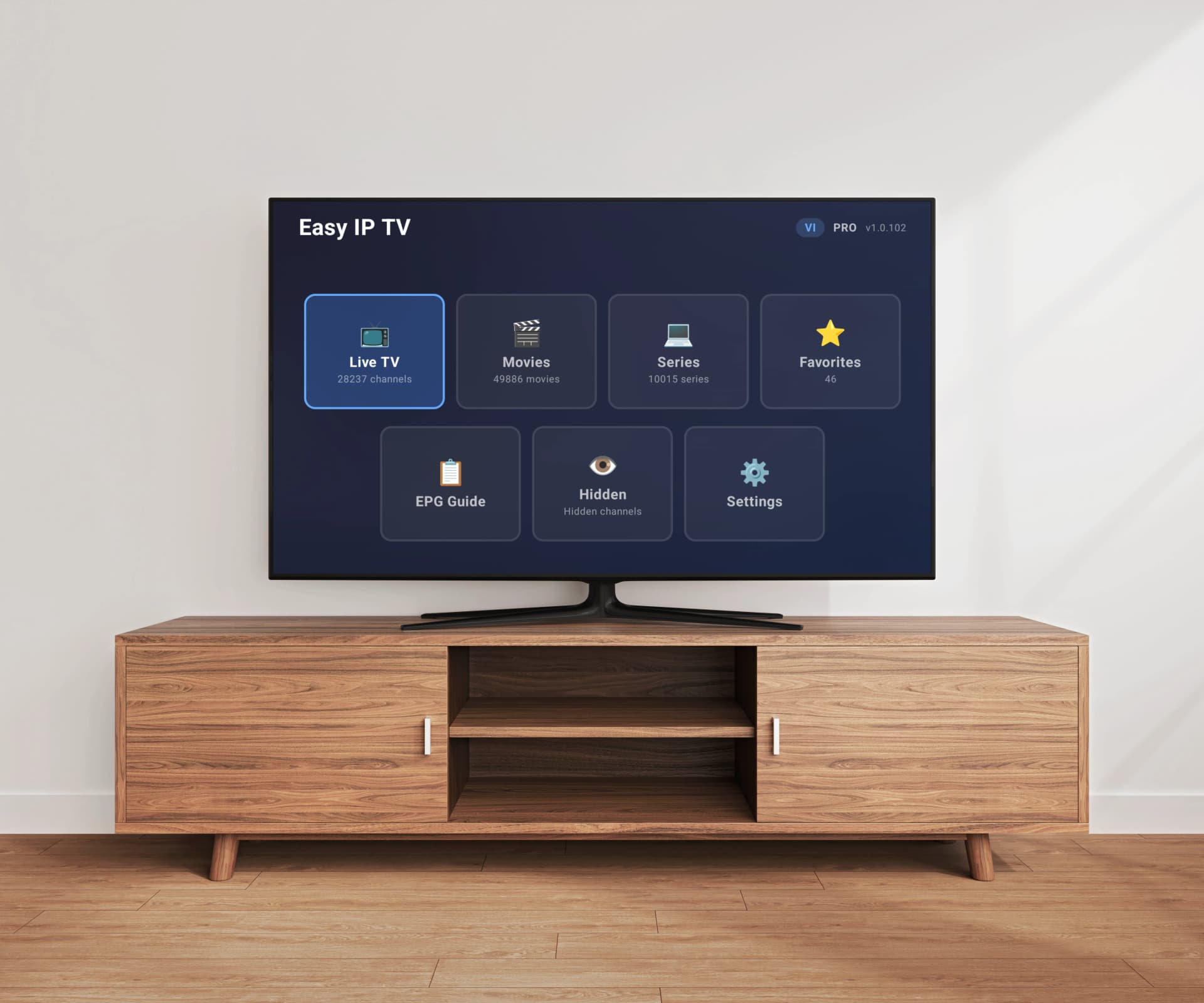
Which is the best IPTV player for Smart TV in 2026? The answer is more complex today than ever: Samsung Tizen, LG webOS, and Android TV form three completely separate app ecosystems, and not every IPTV player runs on every platform. While TiviMate is widely considered the gold standard on Android TV, the app simply does not exist on Samsung or LG. Easy IP TV, on the other hand, is one of the only apps that works on all three platforms with a single account. In this comparison, we show which IPTV player fits your Smart TV best — whether Samsung, LG, or Android TV — and which IPTV app is the right choice for your specific use case.
Top 5 IPTV Players for Smart TV Compared
1. Easy IP TV
Easy IP TV is the only app in this comparison that runs natively on Samsung Tizen, LG webOS, and Android TV with a single account and subscription. The playlist is processed on the server, and only optimized, structured channel data is sent to the TV — making loading fast even with large M3U lists and significantly reducing memory use on older Smart TVs. If you have TVs from different brands in your household, Easy IP TV is the only IPTV player that lets you set up your playlist once and use the same channels, EPG, and favorites across every device.
Pros
- Cross-platform (Samsung, LG, Android TV) with one account
- Server-side playlist processing — no local parsing of large M3U files
- EPG with automatic detection
- Instant search, favorites, hidden channels
- Consistent UX across all platforms
- Free 24-hour trial without a credit card
Cons
- Monthly subscription model
- No Xtream Codes API — M3U/M3U8 only
- No DVR/recording feature
- Newer app with smaller community than TiviMate
Price: Free 24h trial, then Basic (1 TV) or Pro (up to 3 TVs) monthly subscription
2. TiviMate
TiviMate has been considered the best IPTV player on Android TV for years — with DVR recording, catch-up TV, multiple EPG sources, and a polished lean-back interface. The Premium version costs just $5/year for up to 5 devices. The decisive limitation: TiviMate is exclusively available on Android TV and Fire TV. On Samsung Smart TV or LG webOS, the app does not exist. For Android-TV-only users who want every feature, there is no better option.
Pros
- Best-in-class Android TV IPTV app
- DVR/recording
- Catch-up TV
- Excellent value ($5/year for 5 devices)
- Excellent Xtream Codes and M3U support
- Active development and large community
Cons
- Android TV / Fire TV only — no Samsung, no LG
- Local playlist processing
- Premium required for most useful features
- Complex settings for beginners
Price: Free (limited), Premium $5/year (up to 5 devices)
3. IPTV Smarters Pro
IPTV Smarters Pro is one of the most well-known IPTV apps globally with over 10 million installs. It supports M3U and Xtream Codes API and runs on Android, iOS, and Android TV. On Samsung Tizen and LG webOS, the app is not officially available. The free version with ads makes IPTV Smarters Pro the most popular entry-level option — especially on mobile and Android TV boxes.
Pros
- Huge user base (10M+ downloads)
- M3U and Xtream Codes support
- Multi-screen viewing
- Parental controls
- Free version with ads available
- Large tutorial ecosystem online
Cons
- No official Samsung Tizen / LG webOS release
- Mobile-first interface that feels less polished on a TV remote
- Local playlist processing
- Can be slow with large playlists
Price: Free with ads, Pro version varies (~$5 one-time on some platforms)
4. SmartOne IPTV
SmartOne IPTV is one of the few apps available across Samsung Tizen, LG webOS, Android TV, Fire TV, and VIDAA. It supports M3U and Xtream Codes API with TMDb integration for movie and series metadata. Unlike Easy IP TV, however, each device is a separate one-time purchase and the playlist is processed locally on the TV — which can cause delays on older Samsung or LG models with large playlists.
Pros
- Cross-platform (Samsung, LG, Android, Fire TV, VIDAA)
- M3U and Xtream Codes support
- TMDb integration for VOD metadata
- One-time purchase instead of subscription
Cons
- Each device paid for separately — more expensive than an Easy IP TV subscription if you have multiple TVs
- Local playlist processing
- Smaller community
- Higher entry price per device
Price: Approximately €12–14 one-time purchase per device
5. OTT Navigator
OTT Navigator is a feature-rich IPTV player for Android TV that especially appeals to power users. It supports M3U, Xtream Codes, and Stalker portal connections — a combination few apps offer. The app is deeply customizable but has a steep learning curve and is not available for Samsung or LG.
Pros
- Highly customizable
- M3U, Xtream Codes, and Stalker portal support
- Good channel grouping
- Active development
Cons
- Android TV only
- Steep learning curve
- Local playlist processing
- Less polished interface than TiviMate
Price: Free (basic), Premium ~$5 one-time
What makes a good IPTV player for Smart TV?
A good IPTV player for Smart TV combines four things: fast loading even with large playlists, a TV-remote-optimized interface, reliable EPG support, and stable playback without buffering. On Smart TVs — especially Samsung Tizen and LG webOS — processing power is significantly more limited than on Android TV boxes like the NVIDIA Shield. Apps that parse the entire M3U file locally can take several seconds to load on older models with playlists exceeding 5,000 channels. The most important question is therefore: how does the IPTV player handle your playlist?
IPTV Players for Samsung Smart TV (Tizen)
Samsung Smart TVs run on the Tizen operating system. The main IPTV players for Samsung are Easy IP TV, SmartOne IPTV, and Smart IPTV. Easy IP TV is the only one of these with server-side processing — important on Samsung models from before 2022 that struggle with large playlists. TiviMate is NOT available on Samsung. If your provider uses Xtream Codes, ask for the M3U URL — Easy IP TV only supports M3U/M3U8. For more detail, see our in-depth comparison of the best IPTV players for Samsung Smart TV.
IPTV Players for LG Smart TV (webOS)
LG Smart TVs run on webOS. Easy IP TV and SmartOne IPTV are the only apps officially available in the LG Content Store for modern webOS versions. TiviMate, IPTV Smarters Pro, and OTT Navigator do not exist on LG webOS. LG owners therefore have a smaller selection than Android TV users — but Easy IP TV covers the essentials: M3U playlists, EPG, search, favorites, and cross-platform sync if you also own a Samsung or Android TV.
IPTV Players for Android TV / Google TV
Android TV (and Google TV, which is technically built on Android TV) has the largest app selection: TiviMate, IPTV Smarters Pro, OTT Navigator, SmartOne IPTV, and Easy IP TV are all available. If you exclusively use Android TV and need DVR, TiviMate Premium at $5/year is unbeatable. If you already use Easy IP TV on a Samsung or LG and want a consistent experience, the same app runs on Android TV too — with synced favorites and settings.
Server-Side vs. Local Playlist Processing
Most IPTV players parse the complete M3U file locally on the Smart TV. With a playlist of 8,000 channels, this means: every time the app starts, the entire file is downloaded from the provider, parsed, and built up in the TV's memory. On a 2019 Samsung with 1.5 GB of RAM, this can take 5–10 seconds. Easy IP TV processes the playlist on its servers — the TV only receives a finished, structured channel list. This means faster startup, lower memory use, and consistent performance across old and new devices alike.
Which IPTV Player Is Truly Cross-Platform?
Easy IP TV is the only app that officially runs on Samsung Tizen, LG webOS, and Android TV with a single account. SmartOne IPTV is available on most platforms, but each device is a separate one-time purchase. TiviMate, IPTV Smarters Pro, and OTT Navigator are Android-TV-exclusive. If you own two or more Smart TVs from different brands, cross-platform support is the most important selection criterion — it saves time during setup and money on licensing.
How Do I Install an IPTV Player on My Smart TV?
On modern Smart TVs, installation is direct from the app store: Samsung Apps (Tizen), LG Content Store (webOS), or Google Play Store (Android TV). Search for the app name and install it — no sideloading needed for any of the apps compared here. With Easy IP TV, a 6-digit linking code with QR code appears after launch; you scan the QR code with your phone, sign in at easy-ip.tv, and the TV is connected. You then paste your M3U playlist URL in the dashboard. Total setup takes under 2 minutes.
DVR and Recording: Which IPTV Players Can Do It?
In this comparison, only TiviMate (Android TV) and partially IPTV Smarters Pro (for supported providers) offer DVR/recording. On Samsung and LG, DVR via IPTV apps is generally not available — those platforms restrict app-internal recording. If recording is essential, Android TV with TiviMate is the only practical option. For most users, however, reliable live playback with a good EPG is enough.
Recommendation: Which IPTV Player Is Best in 2026?
There is no single best IPTV player for everyone. Our recommendation by use case: Multiple Smart TVs from different brands (Samsung + LG + Android) → Easy IP TV, since one account covers all three platforms. Android TV only with DVR needs → TiviMate Premium. Looking for a free option → IPTV Smarters Pro with ads. Power user with Stalker portals → OTT Navigator. Older Samsung or LG model with a large playlist (>5,000 channels) → Easy IP TV thanks to server-side processing. We recommend trying Easy IP TV's free 24-hour trial on your main device before committing to an IPTV player.
FAQ
Which is the best IPTV player for Smart TV in 2026?
It depends on your platform: on Android TV with DVR needs, TiviMate is the best choice. If you use multiple Smart TVs from different brands (Samsung, LG, Android TV), Easy IP TV is the best IPTV app, since one account covers all three platforms. On older Samsung or LG models with large playlists, Easy IP TV is the fastest option thanks to server-side processing.
Which IPTV player works on Samsung, LG, and Android TV at the same time?
Easy IP TV is the only app that officially runs on Samsung Tizen, LG webOS, and Android TV with a single account and subscription. SmartOne IPTV is available on multiple platforms, but each device is a separate one-time purchase. TiviMate, IPTV Smarters Pro, and OTT Navigator are Android-TV-exclusive and work on neither Samsung nor LG.
What's the difference between server-side and local playlist processing?
With local processing, the Smart TV downloads the complete M3U file every time the app starts and parses it in memory — which can take 5–10 seconds on older models with large playlists. With server-side processing (Easy IP TV), the servers handle this work, and the TV only receives a finished channel list. This makes loading significantly faster and reduces memory use considerably.
Do I need a subscription, or are there free IPTV players?
IPTV Smarters Pro has a free version with ads. TiviMate has a limited free version and costs $5/year for Premium. Easy IP TV offers a free 24-hour trial without a credit card and a monthly subscription thereafter. SmartOne IPTV is a one-time purchase of about €12–14 per device. Important: every IPTV player is just the playback app — content (channels) must come from a separate IPTV provider.
How do I install an IPTV player on my Smart TV?
On Samsung TVs, open Samsung Apps and search for the app. On LG TVs, use the LG Content Store. On Android TV, it's the Google Play Store. Easy IP TV, SmartOne IPTV, and TiviMate (on Android TV) are all installable directly from the official app store — no sideloading needed. After installation, open the app, enter your M3U playlist URL (or link your TV with Easy IP TV via a code), and you're ready to watch in under 2 minutes.
Does Easy IP TV work on all Smart TVs?
Easy IP TV runs on Samsung Tizen TVs from model year 2018 onward, LG webOS TVs from 2018 onward, and all Android TV / Google TV devices running Android TV 7.0 or newer. This includes NVIDIA Shield, Chromecast with Google TV, Xiaomi Mi Box, Sony Bravia, TCL, and all modern Android TV boxes. A list of supported models is available at easy-ip.tv.
Related articles
Best IPTV Player for Samsung TV in 2026
We compare the top 5 IPTV players available for Samsung Tizen TVs — Easy IP TV, SmartOne IPTV, IBO Player, Smart IPTV, and IPTV Smarters Pro — with features, pricing, and honest pros and cons.
Best IPTV Player for LG TV (webOS) in 2026
We compare the top IPTV players available for LG webOS TVs — Easy IP TV, SmartOne IPTV, IBO Player, and Smart IPTV — with features, pricing, and LG Magic Remote compatibility.
Best IPTV Player for Android TV & Google TV 2026
Which is the best IPTV player for Android TV in 2026? We compare the top 5 IPTV apps for Android TV and Google TV — Easy IP TV, TiviMate, IPTV Smarters Pro, OTT Navigator, and SmartOne IPTV — to help you find the right app for your TV.
How to Set Up an M3U Playlist on Your Smart TV
A complete beginner's guide to M3U playlists: what they are, where to get one, and how to set it up on Samsung, LG, or Android TV step by step.
Try Easy IP TV Free on Your Smart TV
Works on Samsung, LG, and Android TV with one account. Install from the official app store, set up in under 2 minutes. Free 24-hour trial — no credit card required.
Link Your TV