
Home › Blog › IPTV Smarters Pro Removed? 5 Best Alternatives in 2026
IPTV Smarters Pro Removed? 5 Best Alternatives in 2026
March 29, 2026
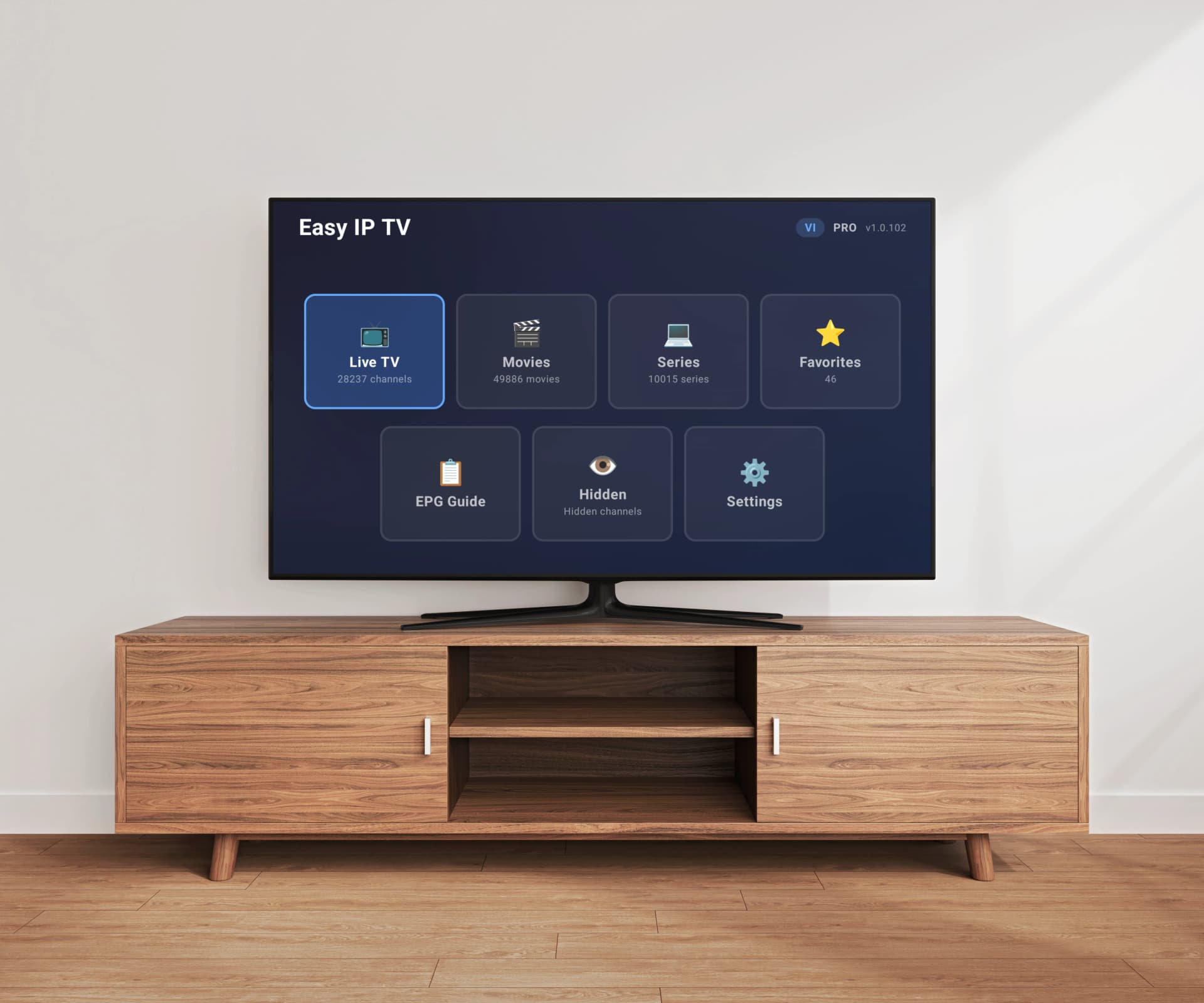
If you recently tried to download IPTV Smarters Pro on your Samsung, LG, or Android TV, you likely discovered it has been removed from the app stores. This has left a massive community of IPTV users scrambling for alternatives. The good news? Several excellent IPTV player apps have emerged that not only match Smarters' functionality but surpass it in many areas. In this guide, we compare the top 5 IPTV player alternatives in 2026, examining their features, platform support, performance with large playlists, EPG capabilities, and pricing. Whether you have a small playlist or one with 200,000+ channels, there is an option here for you.
IPTV Player Comparison: Smarters Alternatives at a Glance
1. Easy IP TV
Modern IPTV player with server-side playlist processing. Handles 200,000+ channels without lag. Available on Samsung Tizen, LG webOS, and Android TV with automatic EPG detection and web-based playlist management.
Pros
- Server-side processing eliminates lag with any playlist size
- Auto-detects EPG from M3U playlists
- Native apps on Samsung, LG, and Android TV stores
- Easy device-linking setup — no typing long URLs on TV
- Free 24-hour trial with full features
Cons
- Monthly subscription required after trial
- No support for VIDAA or Foxxum TVs
- Newer app with smaller user community than established players
Price: Free 24h trial, then Basic (1 TV) or Pro (up to 3 TVs) monthly subscription
2. SmartOne IPTV
Popular IPTV player supporting a wide range of smart TV platforms including Samsung, LG, Android TV, VIDAA, and Foxxum. Solid M3U and Xtream Codes support with TMDb integration for VOD metadata.
Pros
- Widest platform support including VIDAA and Foxxum
- One-time payment model
- Supports M3U and Xtream Codes API
- Good interface with category filtering
- Active development and updates
Cons
- Playlists processed locally on TV — can lag with very large playlists
- No server-side processing for performance optimization
- EPG may require manual URL entry
Price: €7.49 one-time activation per device
3. IBO Player
Premium IPTV player with a clean interface, M3U8 support, and solid EPG integration. Available on Samsung, LG, Android TV, and Amazon Fire TV with affordable pricing.
Pros
- Clean and intuitive interface
- Supports M3U, M3U8, and Xtream Codes
- Good EPG support with program guide
- Available on major smart TV platforms
- One-time base price
Cons
- Additional features locked behind in-app purchases
- Local playlist processing can struggle with 20,000+ channels
- Per-device activation required
Price: $5.49 one-time + optional in-app purchases
4. Smart IPTV
One of the oldest and most well-known IPTV players. Simple interface focused on playlist playback. Removed from newer Samsung and LG app stores — requires sideloading on most modern TVs.
Pros
- Well-established with large user community
- Simple and straightforward interface
- One-time affordable payment
- Supports most M3U playlist formats
- Lightweight and fast for small playlists
Cons
- Removed from Samsung and LG stores on newer TVs — sideloading required
- EPG setup requires separate website configuration
- No server-side processing — slow with large playlists
- Development and updates have slowed significantly
Price: €5.49 one-time activation per device
5. OTT Navigator
Feature-rich free IPTV player for Android TV with advanced EPG, recording support, and extensive customization options. Ad-supported with no ad-free premium tier.
Pros
- Completely free to use
- Most feature-rich EPG and program guide
- Supports recording and catch-up TV
- Highly customizable interface and settings
- Active community and development
Cons
- Android TV only — no Samsung or LG support
- Ad-supported with no way to remove ads
- Complex interface can overwhelm beginners
- Local playlist processing only
Price: Free (ad-supported)
Why Was IPTV Smarters Pro Removed from App Stores?
IPTV Smarters Pro was one of the most popular IPTV player apps for years, available on Samsung Tizen, LG webOS, Android TV, and mobile devices. However, the app was removed from major app stores due to a combination of copyright concerns and policy violations. App store operators like Samsung, LG, Google, and Apple have tightened their policies around apps that facilitate access to streaming content, and IPTV Smarters Pro was caught in this crackdown. It is important to understand that IPTV player apps themselves are simply media players — they do not host or provide any content. They play M3U playlists that users supply from their own IPTV providers. Despite this distinction, the association with pirated content led to Smarters being delisted. Some users still sideload older versions, but this approach comes with security risks, lack of updates, and potential compatibility issues with newer TV firmware. The removal has accelerated the development of legitimate alternatives that comply with app store policies while offering superior functionality.
What to Look for in an IPTV Smarters Alternative
Choosing the right IPTV player replacement requires evaluating several key factors. First, consider platform support — does the app run natively on your TV's operating system (Samsung Tizen, LG webOS, Android TV), or does it require sideloading? Native app store availability means automatic updates and better integration with your TV's interface. Second, evaluate playlist handling performance, because many IPTV players struggle with large M3U playlists containing tens of thousands of channels, causing long loading times, laggy navigation, and even crashes. Look for players that handle large playlists efficiently without overwhelming your TV's hardware. Third, EPG (Electronic Program Guide) support is essential for a traditional TV experience — the best players auto-detect EPG sources from your M3U playlist so you get program schedules without manual configuration. Fourth, consider the user interface and remote control navigation, since you will be using a TV remote rather than a mouse or touchscreen. Finally, pricing models vary widely from one-time payments to monthly subscriptions, and each has trade-offs in terms of ongoing development, support, and infrastructure costs.
How to Migrate from IPTV Smarters to a New Player
Switching from IPTV Smarters Pro to a new IPTV player is straightforward if you have your M3U playlist URL handy. Your M3U playlist URL is the link provided by your IPTV service provider — it typically starts with http:// or https:// and ends with a file extension like .m3u or .m3u8, or includes parameters like /get.php?username=... If you used Xtream Codes API credentials with Smarters (server URL, username, password), most alternative players also support these, or you can ask your IPTV provider for an equivalent M3U URL. Simply install your chosen new player from the app store, enter your M3U playlist URL or Xtream Codes credentials, and the app will load your channels. Some players like Easy IP TV use a device-linking system where you pair your TV to your account via a short code, then add your playlist through a web dashboard — this avoids the frustration of typing long URLs with a TV remote. Your IPTV provider and playlist remain the same; only the player app changes. Most users complete the entire migration in under five minutes without losing access to any channels.
Platform Availability Comparison
Platform support is often the deciding factor when choosing an IPTV player, especially since IPTV Smarters covered so many platforms before its removal. Easy IP TV is available natively on Samsung Tizen, LG webOS, and Android TV (including Google TV) through their official app stores, covering the three most popular smart TV platforms worldwide. SmartOne IPTV offers the widest platform range, supporting Samsung, LG, Android TV, and even newer platforms like VIDAA (Hisense) and Foxxum — making it a strong choice if you have less common TV brands. IBO Player is available on Samsung, LG, Android TV, and Amazon Fire TV through their respective app stores, providing solid cross-platform coverage. Smart IPTV was once available everywhere but has been removed from Samsung and LG stores on newer TV models, requiring sideloading on those platforms — this makes it inconvenient and unreliable as firmware updates can break sideloaded apps. OTT Navigator is exclusively available on Android TV and Android mobile devices, making it a non-starter for Samsung and LG TV owners. If you own multiple TVs from different brands, prioritize a player that runs natively on all your devices without sideloading.
Performance with Large Playlists
This is where IPTV player alternatives differ most dramatically and where many Smarters users were already experiencing frustration. Traditional IPTV players download your entire M3U playlist file directly to your TV, then parse and organize it locally using the TV's processor and memory. With small playlists of a few hundred channels, this approach works fine. But with larger playlists — 10,000, 50,000, or even 200,000+ channels — the TV's limited hardware becomes a bottleneck, causing multi-minute loading times, sluggish scrolling through channel lists, and frequent crashes that force you to restart the app. Easy IP TV takes a fundamentally different approach by processing playlists on its cloud servers rather than on your TV. Your M3U file is parsed, indexed, and organized in the cloud, and your TV only receives the data it needs at any given moment. This means a playlist with 200,000+ channels loads just as fast as one with 200 channels — there is no lag, no waiting, and no crashes regardless of playlist size. SmartOne IPTV and IBO Player handle moderately large playlists reasonably well (up to about 10,000–20,000 channels) but can struggle with anything beyond that threshold. Smart IPTV and OTT Navigator process everything locally, which means performance degrades proportionally with playlist size. If you have a large playlist from your provider, server-side processing is a genuine game-changer that eliminates performance issues entirely.
EPG Support and Program Guide Features
An Electronic Program Guide (EPG) transforms an IPTV player from a simple channel list into a full TV experience with program schedules, show descriptions, and what's-on-now information. EPG data is typically provided via XMLTV format, either embedded in your M3U playlist as a URL reference or supplied as a separate URL from your IPTV provider. Easy IP TV auto-detects EPG sources from your M3U playlist metadata, so in most cases EPG works out of the box without any manual configuration. You can also add custom EPG URLs through the web dashboard if your provider uses a separate EPG source. SmartOne IPTV supports EPG and handles it well, though manual EPG URL entry may be required depending on how your provider structures their playlist. IBO Player has solid EPG support with a clean program guide interface and supports both embedded and external EPG sources for flexible configuration. Smart IPTV supports EPG but requires users to upload their EPG URL through a separate activation website, adding unnecessary friction to the setup process. OTT Navigator offers arguably the most feature-rich EPG implementation on Android TV, with multi-day program guides, recording schedules, and catch-up support — though its complexity can overwhelm casual users. For most users migrating from Smarters, automatic EPG detection saves significant time and eliminates the most common setup headache.
Pricing Comparison: One-Time vs. Subscription
IPTV player pricing falls into two distinct models: one-time purchase and subscription, each with meaningful trade-offs. One-time purchase apps like SmartOne IPTV (€7.49), IBO Player ($5.49 plus in-app purchases), and Smart IPTV (€5.49) charge once and provide lifetime access to the app. This sounds attractive on the surface, but it often means development slows down once the initial sales peak passes, and there is less financial incentive to maintain compatibility with new TV firmware versions or add features that users request. OTT Navigator takes a different approach as a free ad-supported app, which is great for budget-conscious users but means an interrupted viewing experience with advertisements. Easy IP TV uses a subscription model: a free 24-hour trial lets you test everything with your own playlist first, then choose Basic (1 TV) or Pro (up to 3 TVs) as a monthly subscription. The subscription model funds ongoing server-side playlist processing infrastructure (which has real operational costs for cloud computing and bandwidth), continuous development, and responsive customer support. When choosing between models, consider what matters more to you: a lower upfront cost with potentially stagnating development, or ongoing investment in performance and features. The free 24-hour trial from Easy IP TV lets you evaluate whether the subscription model delivers enough value to justify the recurring cost.
Our Recommendation: Which Alternative Should You Choose?
The best IPTV Smarters alternative depends on your specific situation, TV hardware, and viewing priorities. If you have a large playlist (10,000+ channels) and want the smoothest possible experience across Samsung, LG, or Android TV, Easy IP TV is the strongest choice thanks to its unique server-side processing architecture — no other player handles massive playlists without lag, and this difference is immediately noticeable in daily use. If you own a Hisense TV running VIDAA or another less common smart TV platform, SmartOne IPTV is your best bet since it supports platforms that other players do not cover. If you prefer a one-time payment and have a moderately sized playlist under 10,000 channels, IBO Player offers a polished experience with good EPG support at a very competitive price point. Smart IPTV remains functional if you already have it installed on an older TV, but its removal from newer TV app stores and lack of active development make it impossible to recommend for new users. OTT Navigator is excellent if you exclusively use Android TV and want a free, feature-rich option and do not mind advertisements during your viewing sessions. For most users migrating from IPTV Smarters Pro, we recommend starting with Easy IP TV's free 24-hour trial — it takes less than five minutes to set up, works with any M3U playlist your provider supplies, and the server-side processing difference is immediately noticeable if you have ever waited minutes for a large playlist to load on other players.
FAQ
Why was IPTV Smarters Pro removed from the Samsung and LG app stores?
IPTV Smarters Pro was removed due to app store policy changes related to content streaming applications. App store operators tightened their rules around apps associated with unauthorized content distribution. While IPTV player apps are simply media players that do not provide content themselves, the broad association with pirated streams led to Smarters being delisted. Several compliant alternatives like Easy IP TV are available natively in the Samsung, LG, and Android TV app stores.
Can I use my existing M3U playlist with a new IPTV player?
Yes, absolutely. Your M3U playlist URL works with any IPTV player — it is not tied to IPTV Smarters or any specific app. Simply install a new player, enter your same M3U URL or Xtream Codes credentials, and all your channels will load exactly as before. The playlist comes from your IPTV service provider, not from the player app. Switching players takes less than five minutes and requires no changes to your IPTV subscription.
Which IPTV player handles the largest playlists without lag?
Easy IP TV handles the largest playlists without lag thanks to its server-side processing architecture. While most IPTV players process M3U files directly on your TV hardware (causing lag with large playlists), Easy IP TV processes and indexes your playlist on cloud servers. This means playlists with 200,000+ channels load just as fast as playlists with 200 channels. Other players like SmartOne IPTV and IBO Player handle moderate playlist sizes (up to about 10,000–20,000 channels) reasonably well but struggle beyond that range.
Is it legal to use IPTV player apps?
Yes, IPTV player apps are legal software. They are media players, similar to VLC or any other video player on your computer. The legality depends on the content you access through them — using a legitimate IPTV service with properly licensed content is completely legal. The player app itself does not provide, host, or distribute any TV channels or content. Always ensure your IPTV service provider holds the appropriate content licenses for your region.
Do I need a separate IPTV subscription to use these player apps?
Yes, all IPTV player apps require you to bring your own content source — typically an M3U playlist URL from an IPTV service provider. The player app is like a TV set: it displays the content but does not create it. You need an active IPTV subscription that provides you with an M3U playlist URL or Xtream Codes credentials. The player app fee (whether one-time or subscription) is separate from and in addition to your IPTV content subscription.
Related articles
Best IPTV Player for Android TV & Google TV 2026
Which is the best IPTV player for Android TV in 2026? We compare the top 5 IPTV apps for Android TV and Google TV — Easy IP TV, TiviMate, IPTV Smarters Pro, OTT Navigator, and SmartOne IPTV — to help you find the right app for your TV.
Best IPTV Player for Smart TV 2026 — Which One Fits Your TV?
Which is the best IPTV player for Smart TV in 2026? We compare the top apps for Samsung, LG, and Android TV — and show which IPTV app is the right match for your television.
How to Set Up an M3U Playlist on Your Smart TV
A complete beginner's guide to M3U playlists: what they are, where to get one, and how to set it up on Samsung, LG, or Android TV step by step.
M3U vs Xtream Codes API: Which Format Do You Need?
Not sure whether to use M3U or Xtream Codes API with your IPTV service? This guide breaks down both formats, explains their strengths and weaknesses, and helps you choose the right one for your setup.
Ready to Switch from IPTV Smarters?
Try Easy IP TV free for 24 hours — no credit card required. Add your M3U playlist, experience lag-free channel switching with server-side processing, and see why thousands of former Smarters users have already made the switch. Available on Samsung, LG, and Android TV.
Try Easy IP TV Free