
Home › Blog › What is IPTV? Complete Beginner's Guide (2026)
What is IPTV? Complete Beginner's Guide (2026)
March 29, 2026
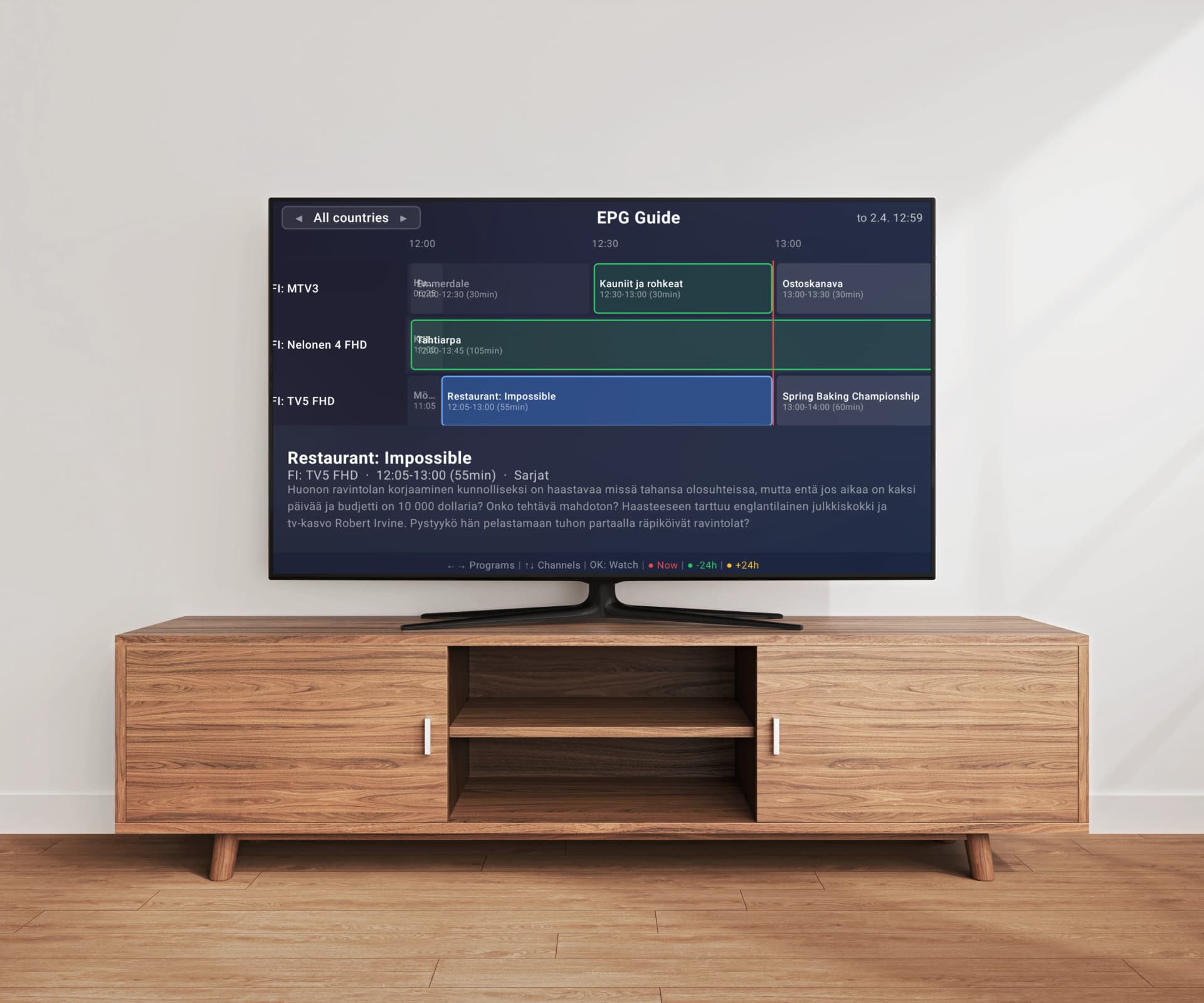
Internet Protocol Television, better known as IPTV, is one of the fastest-growing ways to watch TV content worldwide. Unlike traditional cable or satellite, IPTV delivers television programming over your internet connection, giving you access to live channels, on-demand content, and interactive features that legacy broadcasting simply cannot match. But with this flexibility comes complexity — terms like M3U, EPG, XMLTV, HLS, and VOD can be overwhelming for newcomers. Whether you are considering cutting the cord, exploring IPTV for the first time, or simply curious about how the technology works, this guide covers everything from the technical fundamentals to practical setup steps. By the end, you will understand exactly what IPTV is, how it works, what equipment you need, and how to get started watching on your own television.
What is IPTV?
IPTV stands for Internet Protocol Television — a method of delivering television content over internet networks rather than through traditional terrestrial, satellite, or cable formats. In simple terms, instead of receiving TV signals through an antenna, satellite dish, or coaxial cable, you receive them through the same internet connection you use for browsing the web and streaming video. IPTV is not a single service or company — it is a technology standard used by many different providers around the world. Major telecom companies offer IPTV services (like AT&T TV, Deutsche Telekom MagentaTV, and Swisscom TV), and there are also thousands of independent IPTV providers serving various markets and content preferences. The key distinction is the delivery method: your TV content travels as data packets over IP networks, which enables features impossible with traditional broadcasting, such as on-demand playback, interactive program guides, instant channel metadata, and seamless integration with other internet services. IPTV has been growing rapidly as global internet speeds increase and more households gain access to reliable broadband, making it a practical and often superior replacement for cable and satellite for millions of viewers.
How Does IPTV Work Technically?
IPTV works by converting traditional television signals into digital data streams that travel over IP (Internet Protocol) networks — the same type of network infrastructure that powers the internet. On the provider side, live TV content is captured from its original source (satellite feed, camera, or existing broadcast), encoded into a compressed digital format (typically H.264 or the more efficient H.265/HEVC for video compression), and then packaged into a streaming protocol for delivery to viewers. The most common streaming protocols used in IPTV are HLS (HTTP Live Streaming) and MPEG-DASH, which break the video into small segments (usually 2 to 10 seconds each) that are delivered sequentially to your device over standard HTTP connections. When you select a channel on your TV, your IPTV player app sends a request to the content server for that specific channel's stream URL. The server responds by sending the video segments, which your device buffers briefly and then plays back in real time with only a few seconds of delay from the live broadcast. This is fundamentally different from traditional broadcasting where all channels are transmitted simultaneously over the airwaves and your TV simply tunes to the right frequency — with IPTV, you only receive the channel you are actually watching, which is far more efficient in terms of bandwidth. The channel information (what channels are available, their stream URLs, grouping, and logos) is organized in a playlist file, most commonly in M3U format, which acts as a directory your IPTV player app reads to know what content is available and where to find it on the internet.
Types of IPTV: Live TV, VOD, and Catch-Up
IPTV content generally falls into three categories, each serving different viewing habits and preferences. Live IPTV is the most similar to traditional television — you watch channels in real time as they broadcast, just as you would with cable or satellite. This includes news channels, sports events, entertainment networks, music channels, kids programming, and regional broadcasts from countries around the world. Video on Demand (VOD) gives you access to a library of movies, TV show episodes, documentaries, and other pre-recorded content that you can watch whenever you want, on your own schedule. Unlike live TV where you tune in at a scheduled time, VOD lets you start, pause, rewind, and resume content at your convenience — similar to how Netflix or Disney+ work, but delivered through your IPTV provider's library. Catch-Up TV (sometimes called time-shifted TV) bridges the gap between live and on-demand viewing. It allows you to watch programs that have already aired on live channels, typically available for a window of 24 hours to 7 days after the original broadcast. This is particularly useful if you missed a live sports event or TV show and want to watch it later without waiting for it to appear in a VOD library. Most IPTV providers offer some combination of these three types, though the exact mix and depth of content varies significantly between providers and price tiers.
M3U Playlists Explained
If you spend any time researching IPTV, you will quickly encounter the term M3U playlist — it is the most important concept to understand as an IPTV user. An M3U file is a plain text file that contains a structured list of media file locations — in the context of IPTV, it lists all available channels along with their stream URLs, display names, channel logos, group categories, and EPG identifiers. Think of it as a detailed table of contents for your IPTV service: it tells your player app exactly what channels exist, how they should be organized, and where to find their video streams on the internet. A typical M3U playlist entry includes a #EXTINF line with metadata (channel name, logo URL, group title, language, tvg-id for EPG matching) followed by the actual stream URL pointing to the live video feed. When you subscribe to an IPTV service, your provider gives you an M3U playlist URL — this is a web link (starting with http:// or https://) that always points to the latest version of your channel list, automatically updated when the provider adds or removes channels. Your IPTV player app downloads this playlist, parses every entry, and presents them as an organized channel list on your TV, grouped by category with logos and EPG data. Playlists can range from a few dozen channels to over 200,000 entries depending on your provider. The size of your playlist matters because larger playlists require significantly more processing power to parse and display — this is why some IPTV players lag or crash with very large playlists, while players with server-side processing like Easy IP TV handle any size smoothly by doing the heavy computational work on powerful cloud servers rather than on your TV's limited hardware.
What Equipment Do You Need for IPTV?
Getting started with IPTV requires surprisingly little equipment — you likely already have most of what you need in your home. The essential requirements are three things: a stable internet connection, a compatible device, and an IPTV player app. For internet, a minimum of 10 Mbps download speed is recommended for standard definition IPTV, 25 Mbps for reliable HD content, and 50 Mbps or more for 4K streams or if multiple TVs will stream simultaneously in your household. A wired Ethernet connection from your router to your TV is always preferable to Wi-Fi for maximum stability and reduced buffering, though modern Wi-Fi 5 (802.11ac) and Wi-Fi 6 (802.11ax) networks work well for most users in typical home environments. For devices, IPTV works on smart TVs from major manufacturers (Samsung Tizen, LG webOS, Android TV, Google TV), streaming devices (Amazon Fire TV Stick, Chromecast with Google TV, Apple TV, Nvidia Shield), smartphones, tablets, and computers. Most people use their existing smart TV since modern IPTV player apps are available directly in the TV's built-in app store, requiring no additional hardware purchases. You do not need a separate set-top box, cable box, or satellite dish unless your TV is older and lacks smart capabilities or app store access. The final piece is an IPTV player app — this is the software that reads your M3U playlist and plays the video streams on your screen. Players like Easy IP TV are available in the Samsung, LG, and Android TV app stores and can be installed in seconds with just a few clicks of your remote.
IPTV vs. Cable and Satellite TV
The shift from traditional cable and satellite to IPTV is driven by several fundamental advantages that matter to everyday viewers. Cost is often the primary motivator — cable and satellite subscriptions in many countries run between $50 to $150 or more per month, while IPTV services combined with a player app typically cost a fraction of that amount. IPTV also eliminates the need for specialized and often expensive hardware like satellite dishes, proprietary set-top boxes, professional installation appointments, and coaxial cable runs through your walls — your existing internet connection and smart TV are all you need. Flexibility is another major advantage that draws people to IPTV. With cable or satellite, you are typically locked into a predetermined package of channels chosen by the provider, often paying for hundreds of channels you never watch. IPTV providers offer more varied packages, and since you choose both your content provider and your player app independently, you have significantly more control over your entire viewing experience. Geographic flexibility matters too — IPTV works anywhere you have an internet connection, while cable requires physical infrastructure in your area and satellite requires clear line-of-sight to a specific orbital position. However, IPTV does have real trade-offs that you should understand before switching. It depends entirely on your internet connection quality, so network outages or slow periods mean degraded or interrupted TV service. There can be slight latency compared to satellite broadcasts, meaning sports fans may notice events a few seconds behind the absolute live moment. Traditional cable and satellite also tend to offer more consistent, predictable quality since they use dedicated transmission infrastructure rather than sharing bandwidth with all your other internet activities.
Is IPTV Legal? Understanding the Legality
This is one of the most frequently asked questions about IPTV, and the answer is important to understand clearly. IPTV as a technology is completely legal — it is simply a method of delivering video content over internet networks, used daily by major telecommunications companies, licensed broadcasters, and mainstream streaming services worldwide. Services like YouTube TV, Hulu + Live TV, Sling TV, FuboTV, and telecom-operated IPTV offerings like Deutsche Telekom MagentaTV are all legitimate, fully licensed IPTV services. IPTV player apps are also legal software without exception. They are media players, functionally identical to VLC, Windows Media Player, or any video player application on your computer or phone. They do not host, provide, or distribute any content — they simply play video streams from URLs that you provide. The legality question arises specifically with certain IPTV content providers. Some providers offer access to TV channels without holding proper licensing agreements with the content owners, which constitutes copyright infringement on their part. Using such a service to access content that is not properly licensed may also carry legal risk for the end user in some jurisdictions. The responsibility falls on both the provider distributing unlicensed content and potentially on users who knowingly access it. To stay clearly on the right side of the law, ensure your IPTV service provider holds legitimate content distribution licenses for your region. Legitimate providers are typically transparent about their licensing arrangements, have proper business registrations, offer reasonable pricing that reflects actual content licensing costs, and provide official customer support channels. If a service offers thousands of premium channels from major international networks for an unrealistically low monthly price, that is a strong indicator it may not be properly licensed.
How to Get Started with IPTV
Setting up IPTV on your television is simpler than most people expect and can typically be completed in just a few minutes from start to finish. The first step is choosing an IPTV service provider that offers the content you want to watch. Research providers that serve your region and match your content preferences, read reviews from other users on forums and social media, and verify they offer an M3U playlist URL or Xtream Codes credentials as part of your subscription — these are what you will need to connect your player app to their channel feeds. Many providers offer short trial periods so you can test their channel quality and reliability before committing to a longer subscription. Once you have an active IPTV subscription and your M3U playlist URL in hand, the next step is installing an IPTV player app on your TV. Open your TV's built-in app store (Samsung Apps on Samsung TVs, LG Content Store on LG TVs, or Google Play Store on Android TV devices), search for an IPTV player by name, and install it — the process is identical to installing any other app on your TV. With Easy IP TV, for example, you open the app on your TV and see a pairing code on screen, then visit the Easy IP TV website on your phone or computer, enter the code to link your TV to your account, and add your M3U playlist URL through the web dashboard — this approach cleverly avoids the painful experience of typing long URLs character by character with a TV remote. After your playlist loads and processes, you will see your channels organized by categories with logos. If your provider includes EPG data (most do), you will also have a program guide showing what is currently airing and what programs are coming up next on each channel.
Choosing the Right IPTV Player App
Your IPTV player app is the software interface between you and your content, so choosing the right one has a significant impact on your daily viewing experience and overall satisfaction with IPTV. The most important factor for most users is how the app performs with their specific playlist size. If your IPTV provider gives you a playlist with thousands of channels — which is increasingly common as providers expand their offerings — you need a player that can handle that volume without lag, slow loading screens, or crashes. Traditional IPTV players that process playlists locally on your TV can struggle badly with large playlists because smart TVs have limited processing power and memory compared to computers or dedicated servers. Easy IP TV addresses this limitation with a server-side processing approach, where your entire playlist is parsed, indexed, and organized on powerful cloud servers rather than on your TV's constrained hardware, making even playlists with 200,000+ channels load and navigate instantly. Platform compatibility is the second critical factor in your decision — always verify the player is natively available in your TV's official app store (Samsung Tizen, LG webOS, or Google Play for Android TV) rather than requiring sideloading, which means losing automatic updates and potentially introducing security vulnerabilities. EPG support matters significantly for a comfortable viewing experience: the best players auto-detect EPG data from your M3U playlist without requiring you to manually find and enter separate EPG URLs. Finally, consider the initial setup process and ongoing playlist management — players that offer web-based dashboard management (where you add and update your M3U URL on a computer or phone and it automatically syncs to your TV) are much more convenient than apps that force you to type or edit long URLs using only a TV remote. Take advantage of free trials whenever available to test a player with your actual playlist before committing to a purchase or subscription.
FAQ
Do I need a special internet connection for IPTV?
No special internet connection is required — any standard broadband connection works for IPTV. For smooth HD viewing, you need at least 25 Mbps download speed, and 50 Mbps or more is recommended for 4K content or if multiple people in your household stream simultaneously. A wired Ethernet connection to your TV provides the most stable experience, though modern Wi-Fi works well for most users. Fiber and cable internet connections are ideal, but DSL connections of sufficient speed also work. The key factor is connection stability — consistent speeds matter more than peak speeds for buffer-free viewing.
What is the difference between an IPTV provider and an IPTV player?
An IPTV provider is a service that supplies the TV content — they aggregate live channels, VOD libraries, and catch-up content, and give you access through an M3U playlist URL or login credentials. An IPTV player is an app installed on your TV or device that reads the playlist and plays the video streams on your screen. Think of it like the difference between a cable company (the provider) and your television set (the player). You need both to watch: a provider for the content and a player to display it. Easy IP TV is a player app — you bring your own content from your chosen IPTV provider.
Can I use IPTV on multiple devices simultaneously?
This depends on both your IPTV service provider and your IPTV player app, as they have independent limits. Most IPTV providers allow a certain number of simultaneous connections (typically 1 to 4 streams) as part of your subscription — check with your specific provider for their policy. On the player app side, Easy IP TV's Basic plan supports 1 TV and the Pro plan supports up to 3 TVs watching simultaneously. Your provider's connection limit and your player app's device limit are separate — you need sufficient allowance from both to enable multi-device viewing in your household.
What is an EPG and do I need one?
EPG stands for Electronic Program Guide — it is the on-screen schedule that shows what is currently playing and what is coming up next on each channel, similar to the program guide you see on cable or satellite TV. While not strictly required to watch channels, an EPG dramatically improves the viewing experience by letting you browse what is on across all your channels, read program descriptions, and plan your viewing schedule. Most IPTV providers include EPG data with their service, delivered in XMLTV format either embedded in the M3U playlist or as a separate URL. Good IPTV player apps like Easy IP TV auto-detect and display this EPG data automatically without manual configuration.
Is IPTV the same as streaming services like Netflix?
IPTV and streaming services like Netflix both deliver video over the internet using similar underlying technology, but they differ in important ways. Netflix and similar services are closed ecosystems — they provide both the content library and the player app as one integrated package, and you can only watch content they have specifically licensed for their platform. IPTV is an open standard where the content provider and the player app are separate and independent — you choose your own IPTV provider for content and your own player app for the viewing experience. IPTV also focuses heavily on live television channels (similar to traditional cable TV), whereas Netflix-style services focus almost exclusively on on-demand content. Many people use both: IPTV for live TV channels, news, and sports, and streaming services for on-demand movies and series.
Related articles
Watching IPTV on Your Smart TV: A Plain-English Guide
"IPTV" is one of those words that gets thrown around in technology articles without anyone stopping to explain it. If you have a Smart TV (a television made in the last few years that connects to the internet) and you have heard the word "IPTV" but are not quite sure what it means or whether it is for you, this article is written for you. No jargon. No assumptions. Just a clear explanation, written in plain English.
Is IPTV Legal? What You Need to Know in 2026
IPTV technology itself is perfectly legal — it is simply video delivered over the internet. But the legality question is more nuanced than a simple yes or no. Understanding the difference between the technology, the content, and the player app is essential for every IPTV user in 2026.
How to Set Up an M3U Playlist on Your Smart TV
A complete beginner's guide to M3U playlists: what they are, where to get one, and how to set it up on Samsung, LG, or Android TV step by step.
IPTV EPG Guide: Setup, XMLTV & Troubleshooting
Everything you need to know about Electronic Program Guides for IPTV. From understanding XMLTV format to fixing common EPG problems, this guide covers setup, troubleshooting, and why server-side EPG matching delivers a better experience.
Ready to Try IPTV on Your Smart TV?
Easy IP TV makes getting started with IPTV simple. Install the app on your Samsung, LG, or Android TV, link your device with a short code, add your M3U playlist, and start watching in minutes. Server-side processing ensures smooth performance with any playlist size — even 200,000+ channels. Try it free for 24 hours with no credit card required.
Try Easy IP TV Free