
IPTV on your Samsung, LG or Android TV
We are the player, not a channel seller — bring the M3U or Xtream Codes link from your own IPTV provider and your TV starts playing. Server-side processing means instant loading, no lag, even with 200,000+ channels. Free 24h trial.
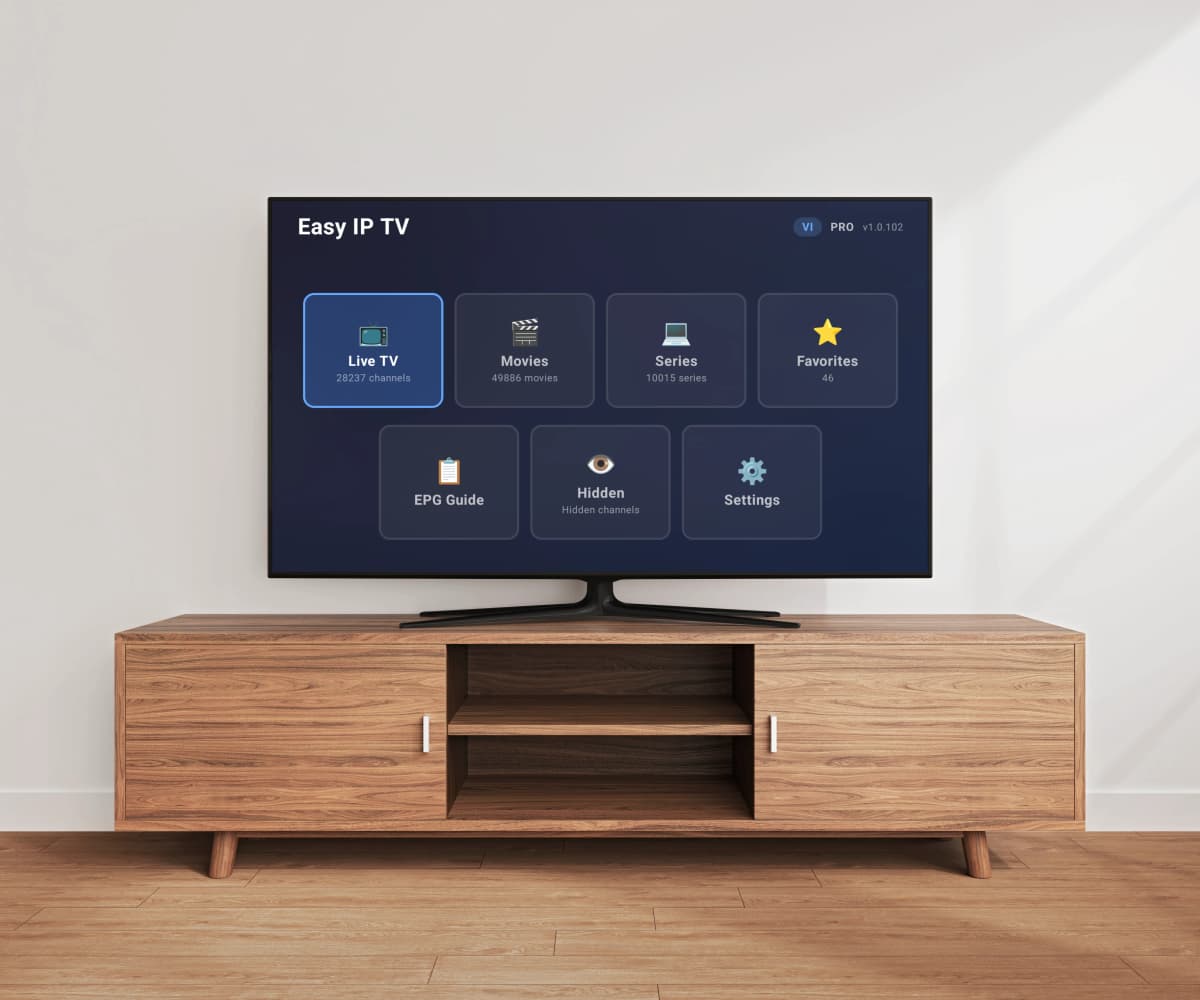

How it works
Install on your TV
Download Easy IP TV from your TV's app store.
Link with a code
Enter the code shown on your TV screen to connect it to your account.
Add your M3U playlist
Paste your IPTV provider's M3U URL and start watching live TV.
See it in action
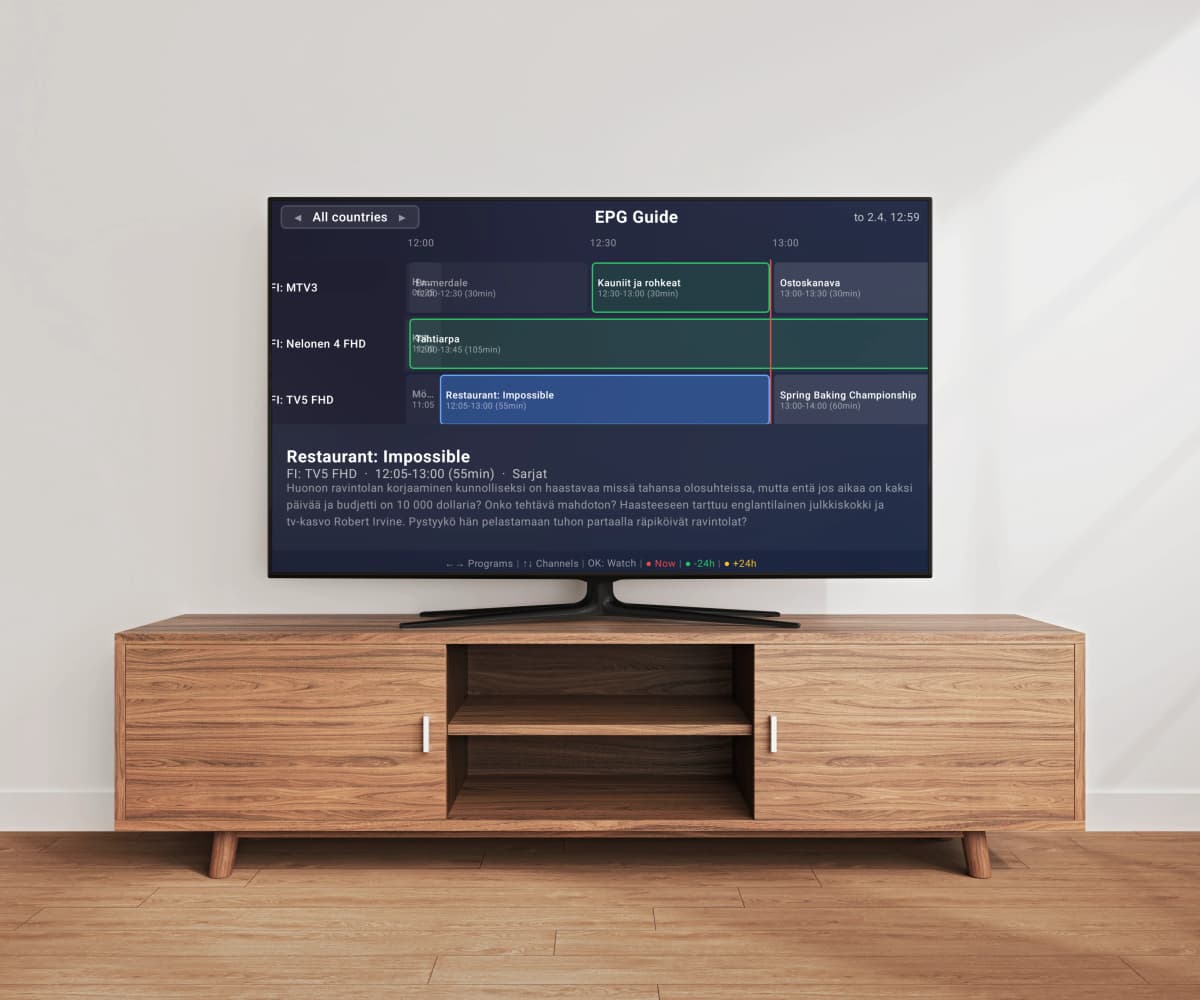
Live TV with program guide
Browse channels with logos, EPG program data, and live stream preview. Search across thousands of channels instantly.
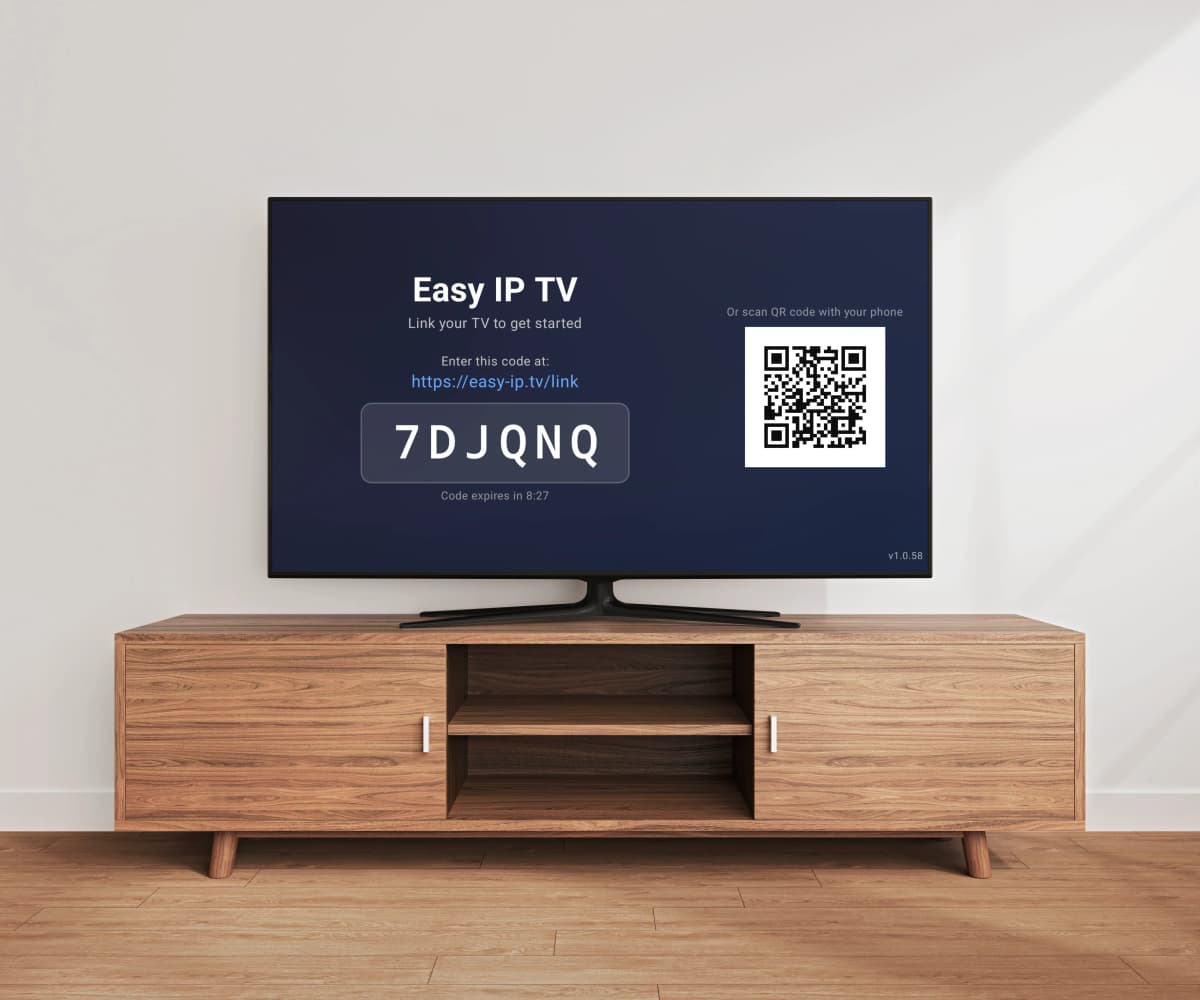
Connect in seconds
Enter a 6-digit code or scan the QR code to link your TV. No accounts to create on the TV — everything is managed from your phone or computer.
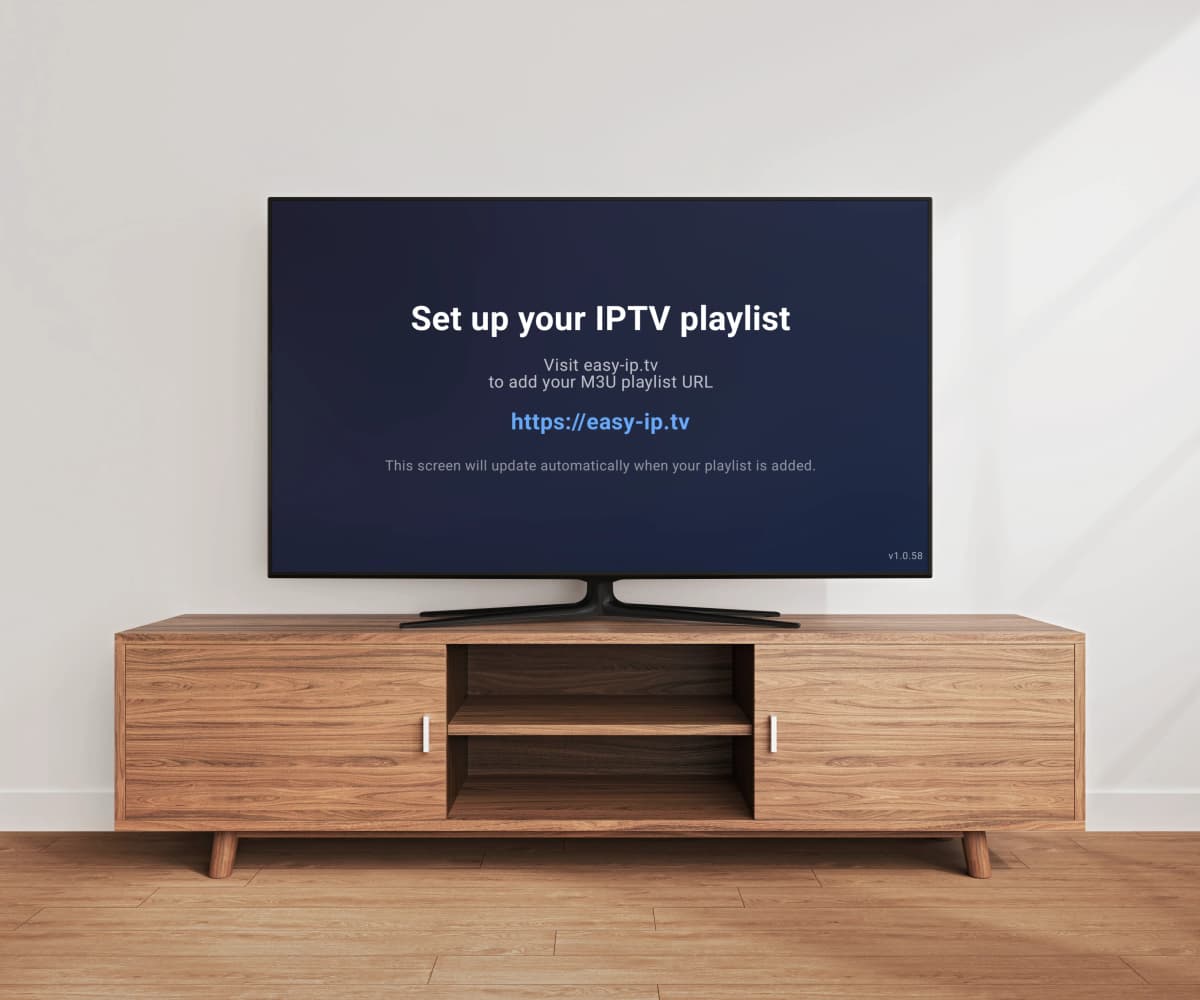
Easy playlist setup
Just paste your M3U playlist URL on the website. Your TV updates automatically — no USB drives, no file transfers.
Full EPG program guide
View the full electronic program guide with a timeline grid. See what's on now and next across all your channels.
Built for Smart TV performance
Most IPTV players process large M3U playlists directly on your TV — causing slow loading and lag on limited Smart TV hardware. Easy IP TV takes a different approach.
Server-side processing
Your playlist is processed and optimized on our servers. Your TV only receives the ready channel structure — no heavy parsing on the TV.
Faster loading
Channels appear quickly because the heavy lifting is already done. No waiting for your TV to parse a large playlist file.
Instant search
Search across thousands of channels smoothly — powered by server-side indexing, not TV hardware.
Optimized for large playlists
Whether you have 500 or 200,000 channels, performance stays the same — because processing happens on the server.
Plans
Frequently Asked Questions
What is Easy IP TV?
Easy IP TV is a premium IPTV player for Smart TVs. It plays M3U playlists on LG webOS, Samsung Tizen and Android TV / Google TV. Set up in under 2 minutes — install the app, link your TV with a code, paste your M3U URL, and you're watching. We do not provide, host, or distribute any content — you bring your own playlist from your IPTV provider.
How do I set up Easy IP TV?
1) Install Easy IP TV from your TV's app store (LG Content Store, Samsung Apps, or Google Play). 2) Open the app — a 6-digit code appears on screen. 3) Visit easy-ip.tv on your phone or computer and enter the code. 4) Paste your M3U playlist URL in the dashboard. Your playlist will be processed and channels will appear on your TV — small playlists load quickly, larger ones may take a few minutes.
Does Easy IP TV provide TV channels or content?
No. Easy IP TV is a player only — similar to VLC or any video player. We do not provide, host, or distribute any content, playlists, or channel subscriptions. You add your own M3U playlist from your IPTV provider. Users are solely responsible for the content they access and its legality in their jurisdiction.
Are you the same as 'Easy IPTV', 'Easy IP', or other similar names?
No — we are a separate, independent company. Several IPTV content reseller services online use names that look similar to ours, including 'Easy IPTV' (easy-iptv.com, easy-iptv.online), 'Easy IP' (easy-ip.online), and others. Those are different businesses that sell channel subscriptions, and we have no affiliation with any of them. Easy IP TV is a player app only — we do not sell, host, or distribute any TV content. Our domain is easy-ip.tv (with a hyphen and the .tv extension), we are operated by HD SofT Oy in Finland (business ID 3318598-8), and you can verify us on our official Trustpilot profile at trustpilot.com/review/easy-ip.tv.
Is Easy IP TV free?
Easy IP TV offers a free 24-hour trial so you can test it with your playlist — no credit card required. After the trial, choose the Basic plan (1 TV) or Pro plan (up to 3 TVs with automatic playlist refresh). Pricing is adjusted for different regions — see the pricing section above or the billing page for prices in your local currency.
Can I use Easy IP TV on multiple TVs?
Yes. The Basic plan supports 1 TV, and the Pro plan supports up to 3 TVs linked to the same account. All TVs share the same playlist — set it up once in your dashboard and all linked TVs get the same channels. You can link and unlink TVs at any time from your dashboard. Note: some IPTV providers limit the number of simultaneous streams per subscription — check with your provider if you plan to watch on multiple TVs at the same time.
Setup Guides
Samsung TV Setup Guide
Step-by-step installation and setup for Samsung Smart TVs (Tizen 2018+)
LG webOS Setup Guide
Step-by-step installation and setup for LG Smart TVs (webOS 2018+)
Android TV Setup Guide
Step-by-step installation and setup for Android TV and Google TV devices
Troubleshooting Guide
Fix buffering, EPG issues, and get the best streaming experience
From our blog
Best IPTV Player for Smart TV 2026 — Which One Fits Your TV?
Which is the best IPTV player for Smart TV in 2026? We compare the top apps for Samsung, LG, and Android TV — and show which IPTV app is the right match for your television.
Best IPTV Player for Android TV & Google TV 2026
Which is the best IPTV player for Android TV in 2026? We compare the top 5 IPTV apps for Android TV and Google TV — Easy IP TV, TiviMate, IPTV Smarters Pro, OTT Navigator, and SmartOne IPTV — to help you find the right app for your TV.
Best IPTV Player for Samsung TV in 2026
We compare the top 5 IPTV players available for Samsung Tizen TVs — Easy IP TV, SmartOne IPTV, IBO Player, Smart IPTV, and IPTV Smarters Pro — with features, pricing, and honest pros and cons.
Best IPTV Player for LG TV (webOS) in 2026
We compare the top IPTV players available for LG webOS TVs — Easy IP TV, SmartOne IPTV, IBO Player, and Smart IPTV — with features, pricing, and LG Magic Remote compatibility.