
Home › Blog › Best IPTV Player for LG TV (webOS) in 2026
Best IPTV Player for LG TV (webOS) in 2026
March 26, 2026
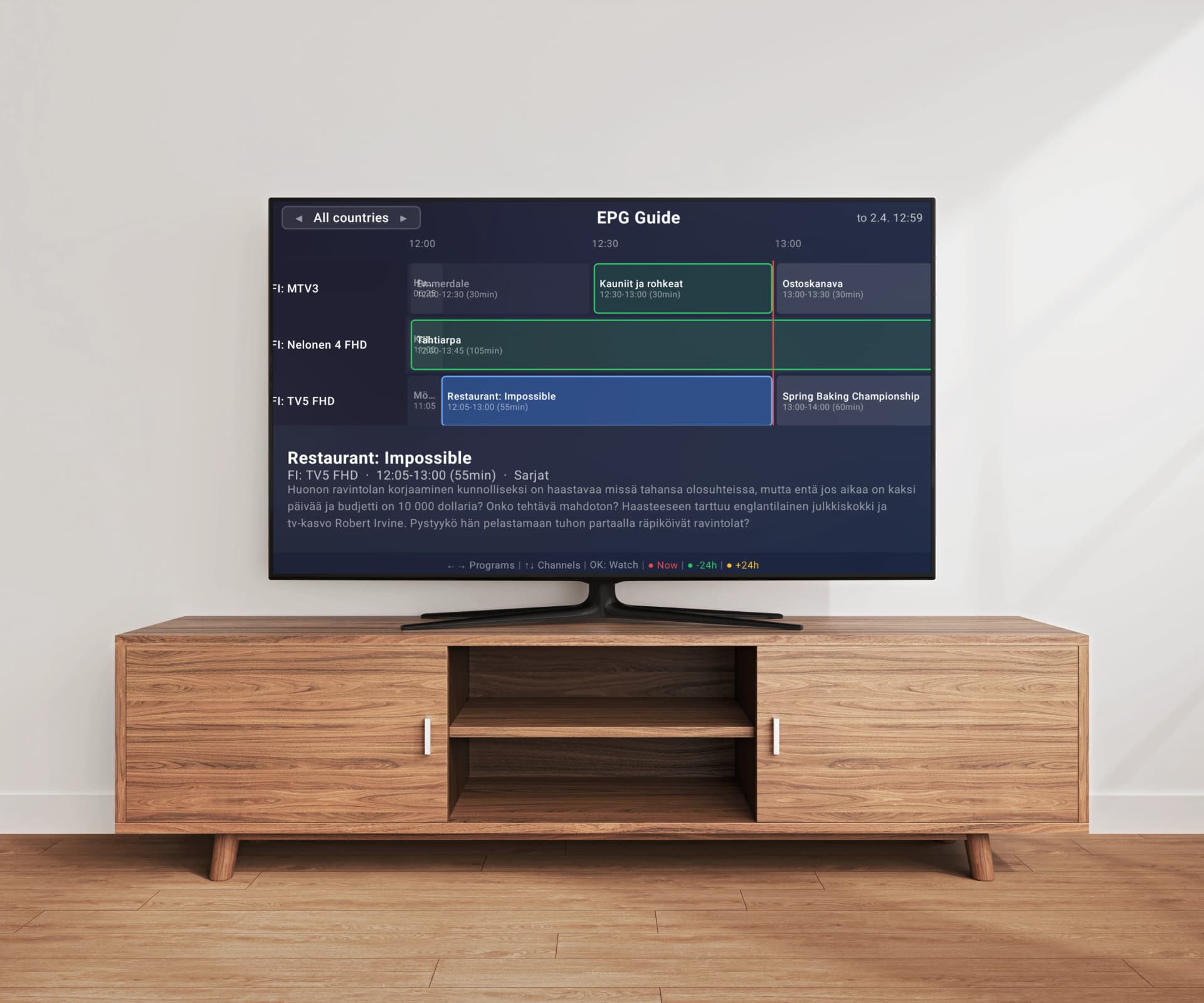
LG Smart TVs running webOS are known for their smooth interface, excellent picture quality, and the intuitive LG Magic Remote. If you have an M3U playlist from your IPTV provider, you need a reliable player app to watch your channels on the big screen. But not every IPTV app handles webOS well — some lag with large playlists, others lack EPG support, and popular options like TiviMate are not available on LG at all. In this guide, we compare the best IPTV players that actually run natively on LG webOS TVs in 2026.
Top IPTV Players for LG webOS
1. Easy IP TV
Easy IP TV is designed from the ground up for Smart TVs, including LG webOS (2018+). Its standout feature is server-side M3U playlist processing — your playlist is parsed, organized, and optimized on Easy IP TV's servers before being delivered to your TV. This means even massive playlists with tens of thousands of channels load smoothly without the freezing and lag that plagues other players on webOS. The app fully supports the LG Magic Remote with pointer navigation, making it easy to scroll through channels, search, and manage favorites. Setup is simple: install from the LG Content Store, link with a code or QR scan, and paste your M3U URL on the website.
Pros
- Server-side playlist processing — no lag on large playlists
- Full LG Magic Remote support with pointer navigation
- Native LG Content Store app
- EPG with automatic detection
- Instant search across all channels
- Favorites and hidden channels
- Works cross-platform (Samsung, LG, Android TV)
- Free 24-hour trial, no credit card
Cons
- Monthly subscription (no lifetime option)
- M3U URLs only — no Xtream Codes API
- Newer app with a growing feature set
Price: Free 24h trial, then Basic (1 TV) or Pro (up to 3 TVs) monthly subscription
2. SmartOne IPTV
SmartOne IPTV is a feature-rich IPTV player available on LG webOS, Samsung, VIDAA, Android TV, and Fire TV. It supports both M3U playlists and Xtream Codes API, and includes TMDb integration for fetching movie and series metadata. SmartOne is a solid choice if you need Xtream Codes support on your LG TV. However, playlist processing happens locally on the TV, which can cause delays with very large channel lists on webOS hardware.
Pros
- Supports M3U and Xtream Codes API
- TMDb metadata for movies/series
- Available on many platforms
- One-time purchase
Cons
- Higher one-time price (~€12–14)
- Local playlist processing can lag on webOS with large lists
- Complex settings interface
Price: Approximately €12–14 one-time purchase
3. IBO Player
IBO Player is available on LG webOS, Samsung Tizen, and Android. It's one of the most affordable IPTV players with a €5/year or €10 lifetime pricing model. IBO Player supports Xtream Codes API connections alongside M3U playlists, making it flexible for different IPTV provider setups. The interface is clean and functional, though it processes playlists on the TV rather than on a server.
Pros
- Very affordable (€5/year or €10 lifetime)
- Supports Xtream Codes and M3U
- Available on LG, Samsung, and Android
- Clean interface
Cons
- No server-side processing
- Can struggle with very large playlists on webOS
- Limited advanced features
Price: €5/year or €10 lifetime
4. Smart IPTV (SIPTV)
Smart IPTV is one of the oldest IPTV players for LG TVs. It uses a MAC address-based setup where you upload your M3U playlist via the SIPTV website. While it was the default choice for years, the app has not kept up with modern alternatives. The interface is minimal, there is limited EPG support, and there is no channel search. It remains an option for users who want the simplest possible setup and don't need advanced features.
Pros
- Simple, minimal setup
- One-time payment
- Lightweight and stable
- Long track record on LG webOS
Cons
- Very dated interface
- Limited or no EPG support
- No search functionality
- No favorites management
- Per-device pricing (€5.49 each)
Price: €5.49 one-time per device
Why TiviMate Is Not an Option on LG TV
TiviMate is widely considered the best IPTV player for Android devices, and many LG TV owners ask if they can use it. The answer is no — TiviMate is exclusively available on Android TV and Fire TV. It does not run on LG webOS and there is no way to sideload it. If you're looking for a TiviMate-like experience on your LG TV, Easy IP TV comes closest with its server-side processing, EPG support, search, and favorites features — all optimized for the webOS platform and LG Magic Remote.
What Makes a Great IPTV Player for LG webOS
LG webOS has specific characteristics that affect IPTV player performance. The platform has limited RAM (especially older models), a JavaScript-based app environment, and unique input handling with the Magic Remote. The best IPTV player for LG should: be available in the LG Content Store (no sideloading), handle large M3U playlists without freezing the TV, support the Magic Remote's pointer and scroll features, offer EPG data for your channels, and provide search functionality for quick channel finding.
Server-Side vs. Local Playlist Processing on webOS
This is the single most important technical difference between IPTV players on LG webOS. When a player processes your M3U playlist locally on the TV, it must download the entire file (which can be 50+ MB for large playlists), parse every line, extract channel names, logos, groups, and EPG IDs, and build the channel list — all on the TV's limited hardware. This can take 30 seconds to several minutes and may freeze the TV during loading. Easy IP TV avoids this entirely by processing playlists on its servers. Your LG TV receives only the optimized, structured data it needs to display channels. The result: fast loading regardless of playlist size.
LG Magic Remote Compatibility
The LG Magic Remote is one of the best Smart TV remotes available, with its pointer-based navigation and scroll wheel. Not all IPTV apps take advantage of it properly. Easy IP TV fully supports Magic Remote pointer navigation — you can point and click on channels, scroll through lists smoothly, and use the scroll wheel to browse quickly. SmartOne IPTV and IBO Player also support the Magic Remote. Smart IPTV has basic remote support but lacks pointer optimization. When choosing an IPTV player for LG, Magic Remote compatibility is a significant quality-of-life factor.
EPG Support Compared on LG
An Electronic Program Guide (EPG) shows what's currently on and what's coming up for each channel. Easy IP TV automatically detects EPG data from your playlist and also supports adding a separate XMLTV EPG URL. The EPG data is processed on the server, so it loads instantly on your TV. SmartOne IPTV offers EPG support with TMDb integration for movie metadata. IBO Player has basic EPG functionality. Smart IPTV has very limited EPG support. If EPG is important to you, Easy IP TV and SmartOne IPTV are the strongest options on LG webOS.
How to Install an IPTV Player on LG TV
Installing an IPTV player on LG webOS is straightforward: 1) Press the Home button on your LG remote. 2) Open the LG Content Store. 3) Search for the app name (e.g., "Easy IP TV"). 4) Click Install and wait for the download. 5) Open the app and follow its setup process. All four players in this comparison — Easy IP TV, SmartOne IPTV, IBO Player, and Smart IPTV — are available in the LG Content Store. No sideloading, USB installation, or developer mode is required.
Pricing Overview
IBO Player offers the lowest cost at €5/year or €10 lifetime. Smart IPTV charges €5.49 per device (one-time). SmartOne IPTV costs around €12–14 one-time. Easy IP TV offers a monthly subscription (Basic for 1 TV, Pro for up to 3 TVs) with a free 24-hour trial. Consider what matters most to you: the cheapest option long-term (IBO Player), the most features for a one-time payment (SmartOne IPTV), or the best performance with server-side processing (Easy IP TV). The free trial lets you test Easy IP TV risk-free before committing.
Our Verdict for LG TV Owners
For LG webOS users, Easy IP TV is our top recommendation thanks to server-side processing that eliminates playlist lag, full Magic Remote support, and comprehensive EPG integration. If you need Xtream Codes API support, SmartOne IPTV or IBO Player are your best alternatives. Smart IPTV works for basic needs but lacks modern features. And if you were hoping to use TiviMate — it's Android-only, so one of these four is your best bet on LG.
FAQ
Can I use TiviMate on my LG TV?
No. TiviMate is only available on Android TV and Fire TV. It cannot be installed on LG webOS TVs. For a similar experience on LG, try Easy IP TV which offers server-side processing, EPG, search, and favorites — all optimized for LG webOS and the Magic Remote.
Which LG TVs support IPTV apps?
LG Smart TVs running webOS 4.0 or newer (2018 models and later) support IPTV apps from the LG Content Store. Older LG TVs running NetCast or webOS 1.0–3.0 have limited app availability and may not support modern IPTV players.
Why does my IPTV player freeze on LG TV when loading channels?
Most IPTV players process M3U playlists directly on the TV. LG webOS TVs have limited RAM and processing power, so large playlists (5,000+ channels) can cause the app to freeze during loading. Easy IP TV avoids this problem by processing playlists on its servers — your TV only receives the optimized channel data.
Does Easy IP TV work with the LG Magic Remote?
Yes. Easy IP TV fully supports the LG Magic Remote with pointer navigation, scroll, and all standard buttons. You can point and click on channels, use the scroll wheel to browse channel lists, and navigate the EPG with the pointer.
Can I use the same IPTV account on my LG TV and Samsung TV?
Yes, with Easy IP TV. The Pro plan supports up to 3 TVs across any combination of LG webOS, Samsung Tizen, and Android TV devices — all under one account with the same playlist. Link each TV with a unique code at easy-ip.tv.
Related articles
Best IPTV Player for Samsung TV in 2026
We compare the top 5 IPTV players available for Samsung Tizen TVs — Easy IP TV, SmartOne IPTV, IBO Player, Smart IPTV, and IPTV Smarters Pro — with features, pricing, and honest pros and cons.
Best IPTV Player for Android TV & Google TV 2026
Which is the best IPTV player for Android TV in 2026? We compare the top 5 IPTV apps for Android TV and Google TV — Easy IP TV, TiviMate, IPTV Smarters Pro, OTT Navigator, and SmartOne IPTV — to help you find the right app for your TV.
Best IPTV Player for Smart TV 2026 — Which One Fits Your TV?
Which is the best IPTV player for Smart TV in 2026? We compare the top apps for Samsung, LG, and Android TV — and show which IPTV app is the right match for your television.
How to Set Up an M3U Playlist on Your Smart TV
A complete beginner's guide to M3U playlists: what they are, where to get one, and how to set it up on Samsung, LG, or Android TV step by step.
Try Easy IP TV Free on Your LG TV
Install from the LG Content Store and start watching in under 2 minutes. Free 24-hour trial — no credit card required. Full Magic Remote support included.
Link Your TV